Fast and lightweight native cross-platform application.
Improves your SQL and DB workflow: do more work in less time.
Support for majority of all famous DBMS, as well as obsolete databases (including ODBC data sources).
Modern application with outstanding features.
FREE fully-functional version.
As a result of 16+ years work with databases, we’ve created SQL Commander – universal database management tool for SQL developers, DB administrators, QA engineers, and all others who work with SQL queries, scripts, or data editing. The main focus of the functionality was to increase your efficiency while working with databases: writing SQL code and ad-hoc queries, building reports, manual or batch data editing, and so on.
Key features:
Cross-DBMS queries support
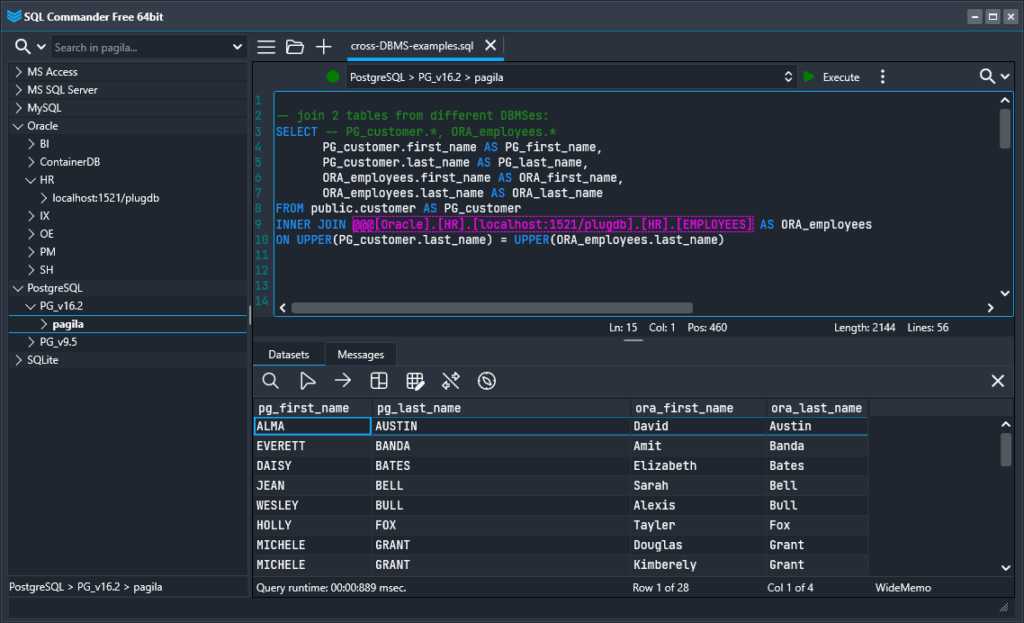
Allows to JOIN tables from different DBMS (e.g., from Oracle and MS SQL Server) in one SQL query. INSERT, DELETE, CREATE and other statements are supported as well.
Local SQL feature: you can query dataset returned from another SQL query.
Connect to wide range of DBMS, including legacy ones
Oracle
MySQL
MS SQL Server / Azure
PostgreSQL
MongoDB
IBM DB2
IBM Informix
SQLite
MariaDB
SAP Advantage Database
SAP SQL Anywhere
Firebird
Interbase
MS Access
Teradata
ODBC data sources: DBase, DBF, Excel, SAP, IBM, and more!
Extremely fast search by metadata
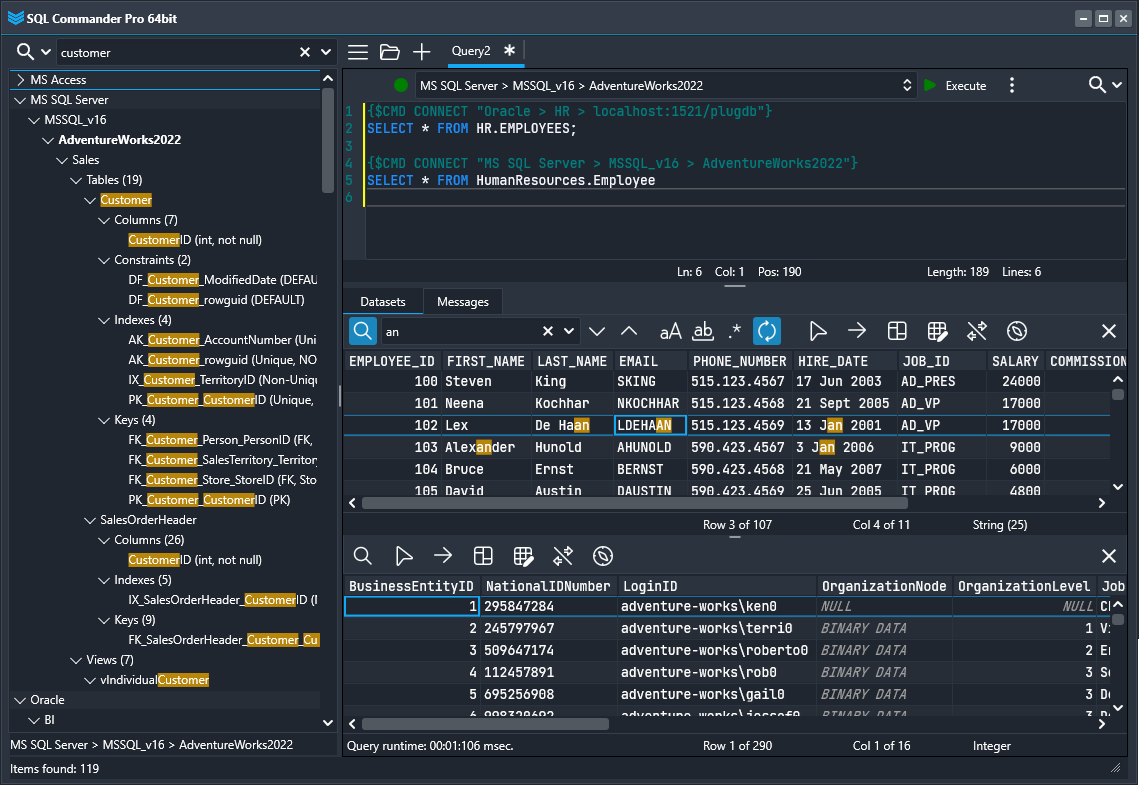
When new connection is created, SQL Commander loads the database’s objects into the DB Tree: schemas, tables, views, procedures, functions, keys, etc. Search by the tree allows you to find particular objects in a selected database (as well as in all connected databases across all DBMSes) within a couple of seconds. Search by returned datasets and SQL code is available as well.
Command line support
You can run your SQL scripts in command line mode (from Windows Command Prompt or Power Shell).